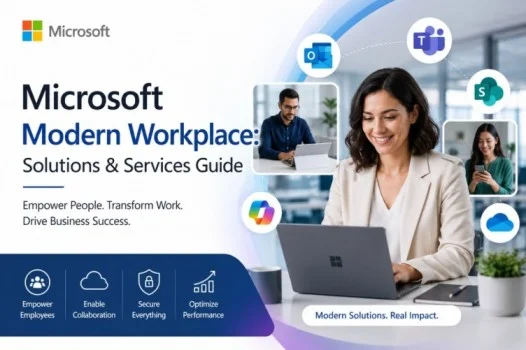
The Microsoft Modern Workplace is a digital work environment that uses cloud-based tools, productivity apps, collaboration platforms, and security technologies.
It helps organizations connect employees, applications, data, and devices. Employees can work from offices, homes, or other locations while staying connected with their teams.
As remote and hybrid work become more common, Microsoft Modern Workplace solutions can help businesses improve productivity, collaboration, communication, and security.
What Is Microsoft Modern Workplace?
Microsoft Modern Workplace is an approach to workplace technology. It uses Microsoft products and cloud services to support modern business operations.
A modern workplace can include:
- Microsoft 365
- Microsoft Teams
- SharePoint
- OneDrive
- Windows
- Security solutions
- Device management tools
- Identity and access solutions
Instead of depending entirely on traditional office infrastructure, businesses can use cloud services. These services allow employees to access approved applications and information from supported devices and locations.
The main goal is to create a workplace that is productive, collaborative, flexible, secure, and easy to manage.
Microsoft Modern Workplace Solutions
Microsoft offers several technologies that businesses can combine based on their needs. Each solution supports a different part of the digital workplace.
Microsoft 365
Microsoft 365 is a key part of many modern workplace environments. Depending on the plan, employees can use applications such as Word, Excel, PowerPoint, Outlook, Teams, and OneDrive.
Cloud-based services allow employees to access work from supported devices. They can also collaborate on documents with colleagues.
This connected approach can simplify everyday tasks and reduce dependence on local storage.
Microsoft Teams
Microsoft Teams is a collaboration platform used by many organizations.
Employees can use Teams for:
- Instant messaging
- Online meetings
- Voice and video calls
- File sharing
- Team collaboration
- Project communication
Businesses can create teams and channels for departments, projects, clients, or specific activities.
Teams can also work with other Microsoft services. This creates a more connected workplace.
SharePoint and OneDrive
SharePoint helps organizations manage documents, internal information, and collaboration sites. Businesses can use it to organize resources and provide employees with access to important information.
OneDrive provides cloud storage for individual users. Employees can access work files from supported devices and collaborate on documents when appropriate.
Together, SharePoint and OneDrive can make file management easier and reduce reliance on traditional local storage.
Microsoft Modern Workplace Services
Many organizations work with technology providers that offer Microsoft Modern Workplace services.
These providers can help businesses plan, deploy, secure, and manage their Microsoft environment.
Common services include:
- Microsoft 365 deployment
- Cloud migration
- Teams implementation
- SharePoint configuration
- OneDrive setup
- Device management
- Identity and access management
- Security configuration
- Employee training
- Technical support
The right services depend on the organization’s size, budget, existing infrastructure, and business requirements.
Security in the Modern Workplace
Security is an important part of any modern workplace. Employees may access company systems from different locations and devices. Therefore, businesses need suitable security controls.
Microsoft provides technologies that can help protect accounts, devices, applications, and business information.
Organizations may use:
- Multifactor authentication
- Identity and access controls
- Device management
- Security monitoring
- Data protection
- Access policies
However, technology alone cannot guarantee security.
Businesses should also create security policies and train employees. IT teams should manage permissions carefully and maintain suitable backup and recovery procedures.
Benefits of Microsoft Modern Workplace Solutions
A well-planned modern workplace can provide several benefits.
Better Collaboration
Employees can communicate, share files, and work on projects through connected Microsoft applications.
For example, Teams can support communication while SharePoint and OneDrive can help manage files.
Flexible Working
Cloud-based services can allow employees to access approved work resources from different locations.
This makes Microsoft Modern Workplace solutions useful for businesses with remote and hybrid work policies.
Improved Productivity
Integrated applications can reduce the need to switch between disconnected systems.
Employees can communicate, create documents, manage files, and collaborate within a connected environment.
Centralized Management
IT teams can manage users, devices, applications, and security through Microsoft’s management tools.
Centralized management can make it easier to apply company policies and monitor workplace technology.
Scalability
Cloud services can make it easier for organizations to expand their digital workplace.
Businesses can add users and services as their requirements change. This flexibility can benefit growing companies.
Is Microsoft Modern Workplace Right for Every Business?
Not necessarily. Every organization has different technology requirements.
Businesses should consider:
- Company size
- Budget
- Existing infrastructure
- Security requirements
- Number of employees
- Remote work needs
- Current applications
A small business may only need Microsoft 365, Teams, and cloud storage. A larger organization may require additional solutions for device management, identity protection, security, and data governance.
Therefore, businesses should evaluate their current systems before choosing Microsoft technologies.
How to Build a Microsoft Modern Workplace
Organizations can follow these steps when developing their workplace strategy:
1. Assess Existing Technology
Review current applications, devices, storage systems, and communication tools. This can help identify outdated systems and technology gaps.
2. Identify Business Needs
Determine what employees need for communication, collaboration, security, and remote work.
3. Choose Suitable Solutions
Select Microsoft products that address those requirements. Avoid adding unnecessary tools that could increase complexity.
4. Plan Security
Set suitable permissions, authentication methods, device policies, and security controls before deployment.
5. Train Employees
Teach employees how to use Microsoft tools effectively and securely. Proper training can improve adoption and reduce mistakes.
6. Monitor Performance
Regularly review security, user adoption, performance, and changing business requirements. Make improvements when needed.
Microsoft Modern Workplace and Hybrid Work
Microsoft technologies can support organizations using remote and hybrid working models.
For example, employees can use Teams for meetings and communication, SharePoint for shared resources, and OneDrive for individual work files.
Microsoft 365 applications can also support everyday business tasks.
As a result, employees can stay connected even when they are not working in the same physical office. However, organizations should configure these tools according to their business and security requirements.
Conclusion
The Microsoft Modern Workplace combines cloud services, productivity applications, collaboration tools, and security technologies to support modern businesses.
Microsoft 365, Teams, SharePoint, and OneDrive can help organizations improve communication, collaboration, productivity, and flexible working.
Read Also : Minnesota Tint Laws: Window Tint Rules & Limits
Frequently Asked Questions
What is Microsoft Modern Workplace?
Microsoft Modern Workplace is an approach to workplace technology that uses Microsoft cloud, productivity, collaboration, security, and management solutions.
What are Microsoft Modern Workplace solutions?
They can include Microsoft 365, Teams, SharePoint, OneDrive, Windows, security technologies, identity solutions, and device management tools.
What are Microsoft Modern Workplace services?
These services can include planning, deployment, migration, configuration, security, employee training, technical support, and ongoing management.
Is Microsoft Teams part of Modern Workplace?
Yes. Microsoft Teams is an important collaboration platform. It supports messaging, meetings, calls, file sharing, and teamwork.
Can small businesses use Microsoft Modern Workplace?
Yes. Small businesses can choose Microsoft solutions based on their specific needs. They do not need to use every available Microsoft technology.
Does Microsoft Modern Workplace support remote work?
Yes. Microsoft cloud and collaboration technologies can support remote and hybrid work by helping employees communicate and access approved business resources.