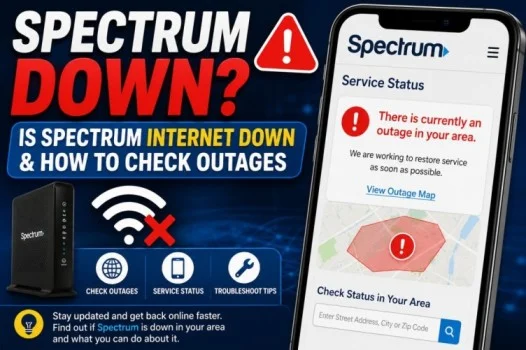
If your Spectrum internet suddenly stops working, you may immediately ask, “Is Spectrum down?” An internet outage can prevent websites from loading, interrupt streaming, affect Wi-Fi-connected devices, and cause problems with online services.
Sometimes the issue is a larger Spectrum outage. In other cases, the problem may be limited to your home, router, modem, or local connection.
This guide explains how to check whether Spectrum is down, how to find out if Spectrum is down in your area, and what you can do when Spectrum internet is not working.
Read also; Syncing With iCloud Paused: Why It Happens & How to Fix It
Is Spectrum Down Right Now?
If your Spectrum service is not working, the first step is to determine whether the problem affects other customers or only your connection.
A widespread outage can affect many customers in the same area. A local problem, however, may only affect your home.
To find out whether Spectrum is experiencing an outage, check Spectrum’s official outage information and sign in to your account if prompted.
You can also check Spectrum’s official support channels for current service information.
How to Check If Spectrum Is Down
There are several ways to determine whether Spectrum is experiencing an outage.
Check Spectrum’s Outage Information
The most reliable place to check for a Spectrum outage is Spectrum itself.
Sign in to your Spectrum account and look for service alerts or outage information associated with your address.
If Spectrum has identified an outage, you may see information about the affected service and possible restoration updates.
Check the My Spectrum App
If you use the My Spectrum app, open it and check your internet service information.
The app may show an outage notification or other information about your connection.
This can be useful when you cannot access websites through your home internet.
Check Other Devices
Try connecting another device to your Wi-Fi.
For example, check your:
- Smartphone
- Laptop
- Tablet
- Smart TV
- Gaming console
If every device has the same problem, the issue may be with your internet connection or Spectrum service.
If only one device is affected, the problem may be limited to that device.
Is Spectrum Down in My Area?
If you’re wondering, “Is Spectrum down in my area?”, your location matters.
Spectrum service problems can affect a specific neighborhood, city, or larger region.
The easiest way to check is to use Spectrum’s outage information while signed in to your account. Spectrum can associate service information with your address.
You can also ask a nearby Spectrum customer whether their internet is working. If multiple nearby customers have lost service at the same time, an area outage becomes more likely.
Is Spectrum Internet Down or Is It My Wi-Fi?
Not every internet problem means Spectrum is down.
Your Wi-Fi can stop working even when Spectrum’s network is operating normally.
For example, the problem could be caused by:
- A modem issue
- A router problem
- Loose cables
- Weak Wi-Fi signal
- Device settings
- Temporary network problems
- Local power interruptions
If possible, check whether your modem or router shows unusual lights or warnings.
How to Restart Your Spectrum Equipment
Restarting your equipment is one of the simplest troubleshooting steps.
Follow these steps:
- Turn off or unplug your modem and router.
- Wait for about 60 seconds.
- Plug the modem back in.
- Wait for the modem to reconnect.
- Turn the router back on if it is separate.
- Wait several minutes.
- Try connecting to the internet again.
Avoid repeatedly restarting the equipment every few seconds. Give it enough time to reconnect to the network.
Check Your Cables
Loose or damaged cables can also cause Spectrum internet problems.
Check the cables connected to your modem and router.
Make sure:
- Power cables are firmly connected.
- Ethernet cables are properly inserted.
- Coaxial cables are securely connected.
- Cables are not visibly damaged.
If everything appears connected correctly, restart the equipment and test the connection again.
Spectrum Internet Down but Wi-Fi Connected
One common situation is having a Wi-Fi connection without internet access.
Your phone may show that it is connected to Wi-Fi, but websites and apps may not work.
This happens because Wi-Fi and internet service are not exactly the same thing.
Your device can connect to your router even when the router cannot connect to Spectrum’s network.
If several devices show “connected” but cannot access the internet, check for a Spectrum outage and restart your modem and router.
Spectrum Outage vs. Local Problem
Understanding the difference can save you time.
Possible Spectrum Outage
A larger outage is more likely when:
- Several devices cannot access the internet.
- Nearby Spectrum customers have the same issue.
- Spectrum reports an outage.
- Your modem cannot establish a normal connection.
- Your service stopped suddenly without any changes at home.
Possible Home Network Problem
A local issue is more likely when:
- Only one device cannot connect.
- Other devices work normally.
- Wi-Fi signal is weak in one room.
- Restarting the router fixes the issue.
- Your cables or equipment have a problem.
What to Do If Spectrum Is Down
If Spectrum confirms an outage, there may not be much you can do to restore service yourself.
Instead:
- Confirm the outage through Spectrum.
- Check for an estimated restoration time if one is available.
- Keep checking official updates.
- Avoid repeatedly resetting your equipment.
- Wait for service to be restored.
If the outage affects a large area, Spectrum’s technicians may need to repair network equipment before service returns.
What If Spectrum Says There Is No Outage?
If Spectrum says there is no outage but your internet still does not work, troubleshoot your home connection.
Try:
- Restarting your modem.
- Restarting your router.
- Checking cables.
- Testing another device.
- Moving closer to the router.
- Checking your account for service issues.
- Contacting Spectrum support if the problem continues.
If only one device has a problem, restart that device and check its network settings.
Why Is Spectrum Internet So Slow?
A slow connection does not necessarily mean Spectrum is completely down.
Slow internet can result from:
- Network congestion
- Wi-Fi interference
- Too many connected devices
- Router limitations
- Weak signal
- Device problems
- Temporary service issues
Try testing the connection on multiple devices. If every device is slow, the problem may be with the network or internet connection.
Final Thoughts
When you search for “Spectrum down,” the first thing to determine is whether the problem is a widespread outage or an issue with your own equipment.
If you are asking, “Is Spectrum down in my area?”, check Spectrum’s official outage information and service alerts. If no outage is reported, restart your modem and router, check your cables, and test multiple devices.
A Wi-Fi connection does not always mean your internet service is working, so checking both your home network and Spectrum’s service status can help you identify the problem faster.
Frequently Asked Questions
Is Spectrum down?
Spectrum may experience temporary outages in certain areas. If your service is not working, check Spectrum’s official outage information to see whether your address is affected.
Is Spectrum down in my area?
You can check Spectrum’s outage information while signed in to your account. This can help determine whether your specific service location is affected.
Is Spectrum internet down?
If Spectrum internet is not working, first check for an outage. If no outage is reported, restart your modem and router and check your cables.
Why is my Spectrum Wi-Fi not working?
The problem could be a Spectrum outage, modem or router issue, loose cable, weak Wi-Fi signal, or a problem with your device.
How do I fix Spectrum internet when it is down?
First determine whether Spectrum is experiencing an outage. If there is no outage, restart your modem and router, check your cables, and test another device.
How long do Spectrum outages last?
There is no single outage duration. Restoration time depends on the cause, location, network damage, and repair work required.