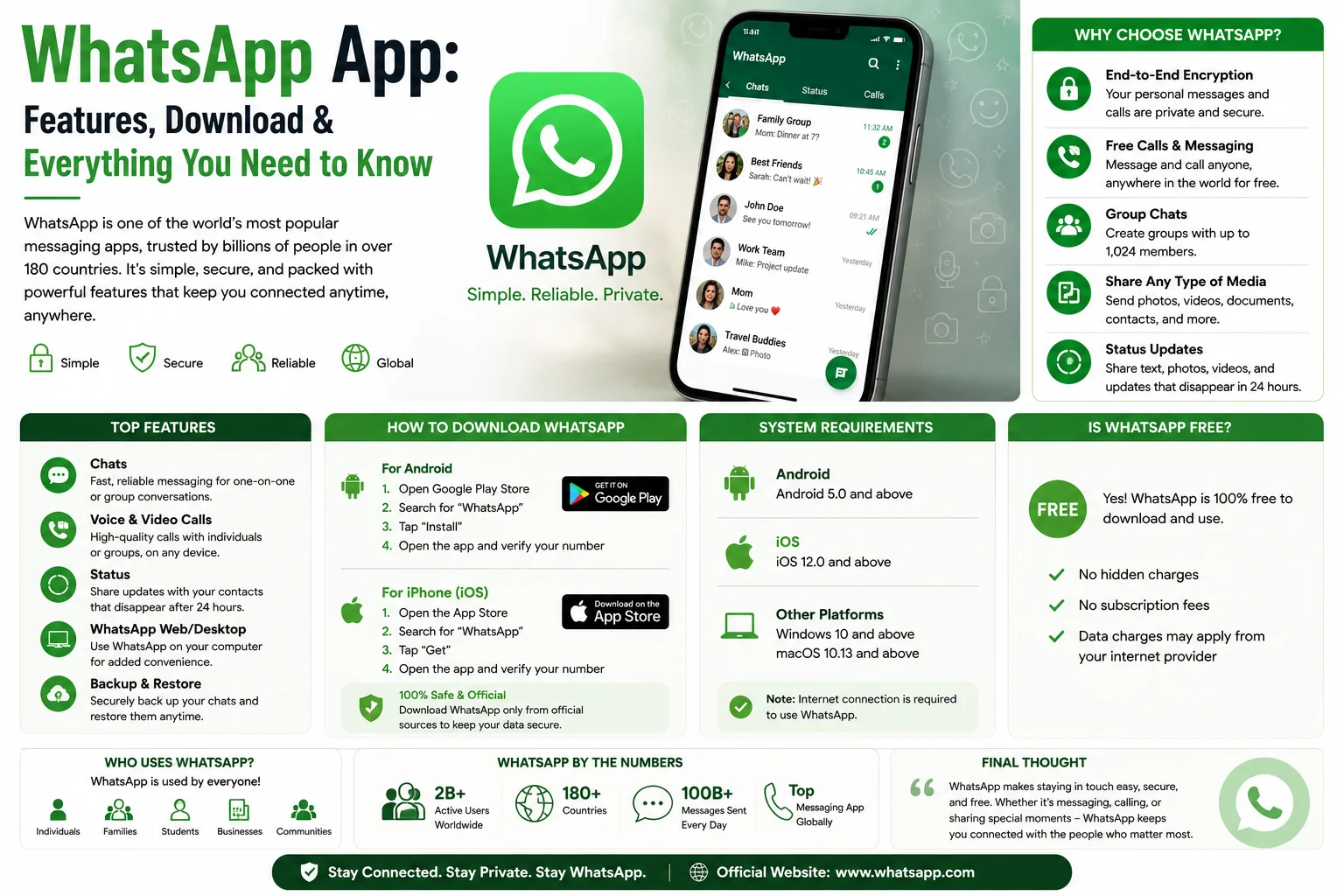
The WhatsApp app is one of the world’s most popular messaging platforms, allowing users to send text messages, make voice and video calls, share media, and stay connected across devices. Whether you’re new to the WhatsApp text app or looking to explore its latest features, this guide covers everything you need to know.
Read also ; Loopy Case: Features, Benefits & Is It Worth Buying?
What Is the WhatsApp App?
The WhatsApp app is a free messaging application available for Android, iPhone, Windows, Mac, and web browsers. It uses an internet connection (Wi-Fi or mobile data) instead of traditional SMS, allowing users to communicate with people worldwide.
With billions of active users, WhatsApp has become a preferred platform for personal conversations, business communication, and group collaboration.
Key Features of the WhatsApp App
The WhatsApp app includes a wide range of features designed to make communication simple and secure.
Instant Messaging
Send and receive text messages instantly with individuals or groups.
Voice and Video Calls
Make high-quality voice and video calls over the internet without paying traditional calling charges (data charges from your internet provider may still apply).
Group Chats
Create group conversations with family, friends, classmates, or coworkers to stay connected in one place.
Media Sharing
Share photos, videos, documents, voice notes, contacts, and your live or current location directly within chats.
Channels and Communities
Follow Channels to receive updates from organizations, creators, or public figures, and use Communities to organize related groups under one umbrella.
End-to-End Encryption
Personal messages and calls are protected with end-to-end encryption, meaning only you and the recipient can read or listen to them.
How to Download the WhatsApp App
You can install the WhatsApp app by following these steps:
- Open the Google Play Store on Android or the App Store on iPhone.
- Search for WhatsApp Messenger.
- Tap Install or Get.
- Open the app after installation.
- Verify your phone number using the code sent by SMS or call.
- Complete your profile and start messaging.
You can also use WhatsApp Web or download the desktop app for Windows and macOS after linking your account.
WhatsApp App for Business
Businesses can use WhatsApp Business, a separate app designed for customer communication.
Features include:
- Business profile
- Product catalog
- Quick replies
- Automated greeting messages
- Labels for organizing chats
- Business hours
These tools help small businesses interact with customers more efficiently.
Privacy and Security
WhatsApp offers several privacy features, including:
- End-to-end encrypted chats and calls
- Two-step verification
- Fingerprint or Face ID app lock (on supported devices)
- Disappearing messages
- Chat lock for selected conversations
- Privacy controls for profile photo, status, and last seen
These settings allow users to better manage who can see their information and access their chats.
Advantages of the WhatsApp App
Many users choose the WhatsApp app because it offers:
- Free messaging over the internet
- Voice and video calling
- Group chats
- Cross-platform support
- Easy media sharing
- Strong privacy features
- WhatsApp Web and desktop access
- Frequent feature updates
Limitations
Although WhatsApp is feature-rich, there are some limitations:
- Requires an internet connection
- Phone number is needed to create an account
- Large media files may use significant storage
- Some features vary by device and region
Conclusion
The WhatsApp app remains one of the best messaging platforms for staying connected with friends, family, and colleagues. With features like instant messaging, voice and video calls, media sharing, end-to-end encryption, and cross-device support, it offers a reliable and user-friendly communication experience. Whether you’re using it for personal chats or business conversations, the WhatsApp text app continues to be a top choice for millions of users worldwide.
Frequently Asked Questions (FAQs)
Is the WhatsApp app free?
Yes. The WhatsApp app is free to download and use. However, it requires an internet connection, so your mobile carrier or internet provider may charge for data usage.
Can I use WhatsApp on my computer?
Yes. You can use WhatsApp Web through a browser or install the official desktop app for Windows and macOS after linking your account.
Is WhatsApp secure?
WhatsApp uses end-to-end encryption for personal chats and calls, helping protect your conversations from unauthorized access.
What’s the difference between WhatsApp and WhatsApp Business?
WhatsApp is intended for personal communication, while WhatsApp Business includes additional tools such as business profiles, catalogs, and automated messages for companies.
Can I make international calls with WhatsApp?
Yes. You can make voice and video calls to users in other countries over the internet without traditional international calling charges, though data charges may apply.