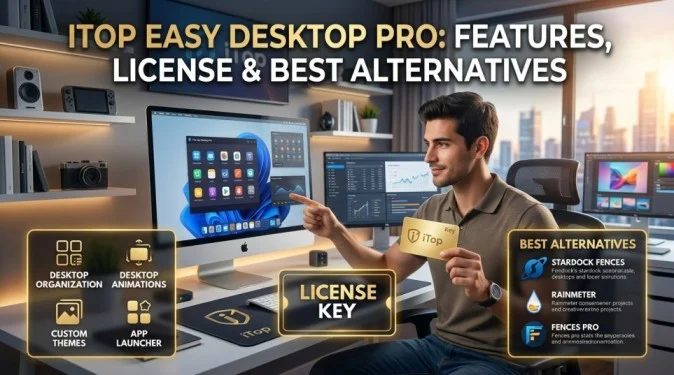
If your Windows desktop is filled with files, folders, shortcuts, and icons, finding what you need can quickly become frustrating. iTop Easy Desktop Pro is designed to make desktop organization easier by grouping icons and shortcuts into organized areas.
If you’ve searched for iTop Easy Desktop Pro, iTop Easy Desktop Pro license key, iTop Easy Desktop full, or an iTop Easy Desktop alternative, this guide explains what the software does, its main features, licensing, and some alternatives worth considering.
What Is iTop Easy Desktop Pro?
iTop Easy Desktop is a Windows desktop organization tool developed by iTop. Its main purpose is to help users organize cluttered desktops without manually moving every shortcut or file into different folders.Instead of having dozens of icons scattered across your screen, you can group related items together and access them from a cleaner interface.
What Does iTop Easy Desktop Pro Do?
The software focuses primarily on desktop organization and customization.
Some of its useful features include:
- Organizing desktop icons into groups
- Creating customized icon boxes
- Hiding desktop icons
- Searching for desktop items
- Automatically organizing newly added items
- Customizing the appearance of desktop groups
- Quickly accessing files and applications
- Creating a cleaner Windows workspace
The exact features available can depend on the version you’re using, so it’s a good idea to check the current product information before purchasing.
iTop Easy Desktop Pro Features
Desktop Organization
The biggest reason people use iTop Easy Desktop is to reduce desktop clutter.
You can arrange applications, documents, folders, and shortcuts into separate categories. This makes it easier to find frequently used items without searching through a crowded desktop.
Automatic Organization
Automatic organization can save time if your desktop changes frequently.
Rather than manually moving every new icon, the software can help organize items according to your chosen rules or categories.
This feature is particularly useful for users who regularly download files or install new applications.
Customizable Desktop Boxes
You can create and customize groups for different types of content.
For example, you might create sections called Work, Games, Applications, Documents, and Personal.
This gives you more control over how your Windows desktop looks and functions.
Hide Desktop Icons
If you prefer a minimal desktop, iTop Easy Desktop can help hide icons when you want a cleaner screen.
This can be useful when taking screenshots, presenting your screen, or simply reducing visual distractions.
What Is an iTop Easy Desktop Pro License Key?
If you’ve searched for an iTop Easy Desktop Pro license key, you’re probably looking for information about activating the paid version.A license key is an activation code supplied by the software developer or an authorized seller. It allows eligible users to unlock features included with a paid version.
If you already purchased the software, check your purchase confirmation or account information for your legitimate activation details.
Is iTop Easy Desktop Free?
iTop offers free and paid software products, and available features can vary between editions and versions.
A free edition may provide basic desktop organization features, while premium versions can offer additional functionality.
Before upgrading, compare the features included in the current free and Pro versions. Software pricing and licensing terms can change, so checking the developer’s current information is the safest way to confirm what’s included.
iTop Easy Desktop Alternative Options
If iTop Easy Desktop isn’t suitable for you, there are other ways to organize a Windows desktop.
Fences
Fences is a well-known desktop organization tool from Stardock. It allows users to group desktop icons into customizable areas and provides additional desktop-management features.
It’s a good option if you want a polished interface and more advanced customization.
Nimi Places
Nimi Places allows users to organize files and shortcuts into containers on the Windows desktop.
It’s useful for people who want a lightweight approach to grouping desktop content without relying on traditional folders for everything.
Windows Folders
You don’t necessarily need third-party software to organize your desktop.
Windows itself lets you create folders for different categories. You could make folders for work, documents, downloads, applications, and projects.
This approach doesn’t provide the same visual experience as desktop-organizing software, but it’s free and doesn’t require additional software.
Read Also : James Bond Villains: Jaws, Blofeld, Spectre & Iconic Foes
Is iTop Easy Desktop Pro Worth Using?
Whether iTop Easy Desktop Pro is worth using depends on how you work.
If you frequently have dozens of icons on your desktop and want a simple way to organize them, the software can be useful. Its main advantage is convenience: you can organize items visually without constantly opening File Explorer.
It’s also worth considering whether you need the premium features before purchasing a Pro license.
Safety Tips When Downloading iTop Easy Desktop
If you’re installing iTop Easy Desktop, download it from a trustworthy source.
Avoid websites offering:
- Cracked versions
- Pirated Pro editions
- Free license keys
- Modified installers
- “Lifetime activation” tools
These downloads may expose your computer to malware or unwanted software.
Keeping Windows and your security software updated can also reduce unnecessary risks.
Final Thoughts
iTop Easy Desktop Pro can be a convenient solution for Windows users who want a cleaner and more organized desktop. Its main purpose is to group icons, shortcuts, files, and applications into manageable areas.
For people who want alternatives, Fences and Nimi Places offer different approaches to desktop organization, while standard Windows folders remain a simple free option.
Frequently Asked Questions
What is iTop Easy Desktop Pro?
iTop Easy Desktop Pro is a Windows desktop organization tool designed to help users group and manage icons, shortcuts, files, and applications.
Where can I get an iTop Easy Desktop Pro license key?
A legitimate license key should be obtained through the official developer or an authorized seller. Avoid unofficial key websites.
Is iTop Easy Desktop free?
iTop offers free and premium software options. Features and licensing can vary by version, so check the current product information before purchasing.
Is iTop Easy Desktop safe?
The software should be downloaded from a trustworthy, official, or authorized source. Avoid modified or cracked versions.
What is the best iTop Easy Desktop alternative?
Fences and Nimi Places are popular alternatives. Windows folders are another simple option for users who don’t need advanced desktop organization.