Learning how to turn off iPhone features can be useful when you want more privacy or need to fix a problem.
However, “turn off iPhone” can mean several things. You may want to power off your phone, disable Find My, stop location sharing, or change another setting.
This guide explains the most common options step by step.
Read also; Marathon Player Count: Steam, Current Players & Latest Bungie Stats
How to Turn Off iPhone Completely
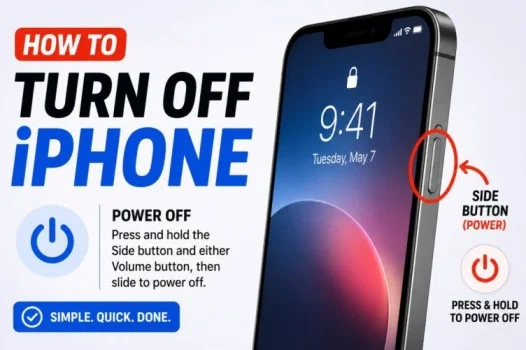
If you want to power off your iPhone, you can use the buttons.
On most newer iPhone models:
- Press and hold the Side button and either Volume button.
- Keep holding until the power-off slider appears.
- Drag the slider to the right.
- Wait for the iPhone to shut down.
You can also turn off your iPhone through Settings.
Go to Settings > General > Shut Down.
Then, drag the power-off slider.
How to Turn Off iPhone 16
The same basic method works when learning how to turn off iPhone 16.
Press and hold the Side button and either Volume button. When the power-off slider appears, drag it across the screen.
You can also use Settings > General > Shut Down.
The iPhone 16 will then power off.
How to Turn Off Find My iPhone
If you need to disable Find My iPhone, open Settings.
Then:
- Tap your name at the top.
- Tap Find My.
- Select Find My iPhone.
- Turn off Find My iPhone.
- Enter your Apple Account password if requested.
Find My is an important security feature. Therefore, you should usually keep it enabled unless you have a specific reason to turn it off.
How to Turn Off Location on iPhone
You can control location access from Location Services.
Go to:
Settings > Privacy & Security > Location Services
From there, you can turn Location Services off completely.
Alternatively, you can change location access for individual apps.
For example, you can allow an app to use your location only while you are using it.
How to Turn Off Do Not Disturb on iPhone
Do Not Disturb is part of Focus.
To turn it off:
- Open Control Center.
- Tap Focus.
- Tap Do Not Disturb.
You can also go to Settings > Focus > Do Not Disturb.
If Do Not Disturb keeps turning on, check whether a schedule or automation is enabled.
How to Turn Off Private Browsing on iPhone
Private Browsing is available in Safari.
To leave Private Browsing:
- Open Safari.
- Tap the Tabs button.
- Switch from Private to your regular tab group.
Your normal browsing tabs will then appear.
Private Browsing does not need to be permanently disabled. You simply need to switch back to a regular browsing session.
How to Turn Off Read Receipts on iPhone
You can stop others from seeing when you have read their messages.
Open:
Settings > Apps > Messages
Then turn off Send Read Receipts.
Depending on your iOS version, the Messages option may appear directly under Settings > Messages.
You can also manage read receipts for individual conversations in supported versions of iOS.
How to Turn Off Vibrations on iPhone
If your iPhone vibrates and you want to stop it, open Settings.
Go to:
Settings > Sounds & Haptics
You can adjust vibration and haptic settings there.
For additional vibration controls, check the Haptics options and change them according to your preference.
How to Turn Off Passcode on iPhone
You can remove your iPhone passcode through Settings.
Go to:
Settings > Face ID & Passcode
or
Settings > Touch ID & Passcode
Enter your current passcode. Then select Turn Passcode Off.
Your iPhone may warn you about the security risks. Removing the passcode reduces protection if your phone is lost or stolen.
How to Turn Off Pop-Up Blocker on iPhone
Safari blocks many unwanted pop-ups by default.
If you need to allow pop-ups, open:
Settings > Apps > Safari
Then find Block Pop-ups and turn it off.
Afterward, Safari can allow websites to display pop-up windows.
Remember to turn the setting back on when you finish if you do not need pop-ups.
Final Thoughts
Knowing how to turn off iPhone settings can help you manage your device more easily.
You can power off the phone with the Side and Volume buttons. In addition, you can manage Find My, location services, Do Not Disturb, Safari settings, read receipts, vibrations, and your passcode from Settings.
Before disabling security features such as Find My or your passcode, consider the risks. Keeping important security settings enabled can help protect your iPhone and personal information.
Frequently Asked Questions
How do you turn off an iPhone?
Press and hold the Side button and either Volume button. Then drag the power-off slider.
How do you turn off iPhone 16?
Press and hold the Side button and either Volume button. Then drag the slider to power off the phone.
How do you turn off Find My iPhone?
Go to Settings > your name > Find My > Find My iPhone. Then turn off Find My iPhone.
How do you turn off location on iPhone?
Go to Settings > Privacy & Security > Location Services. You can turn off location services or change access for individual apps.
How do you turn off read receipts?
Go to Settings > Apps > Messages and turn off Send Read Receipts.