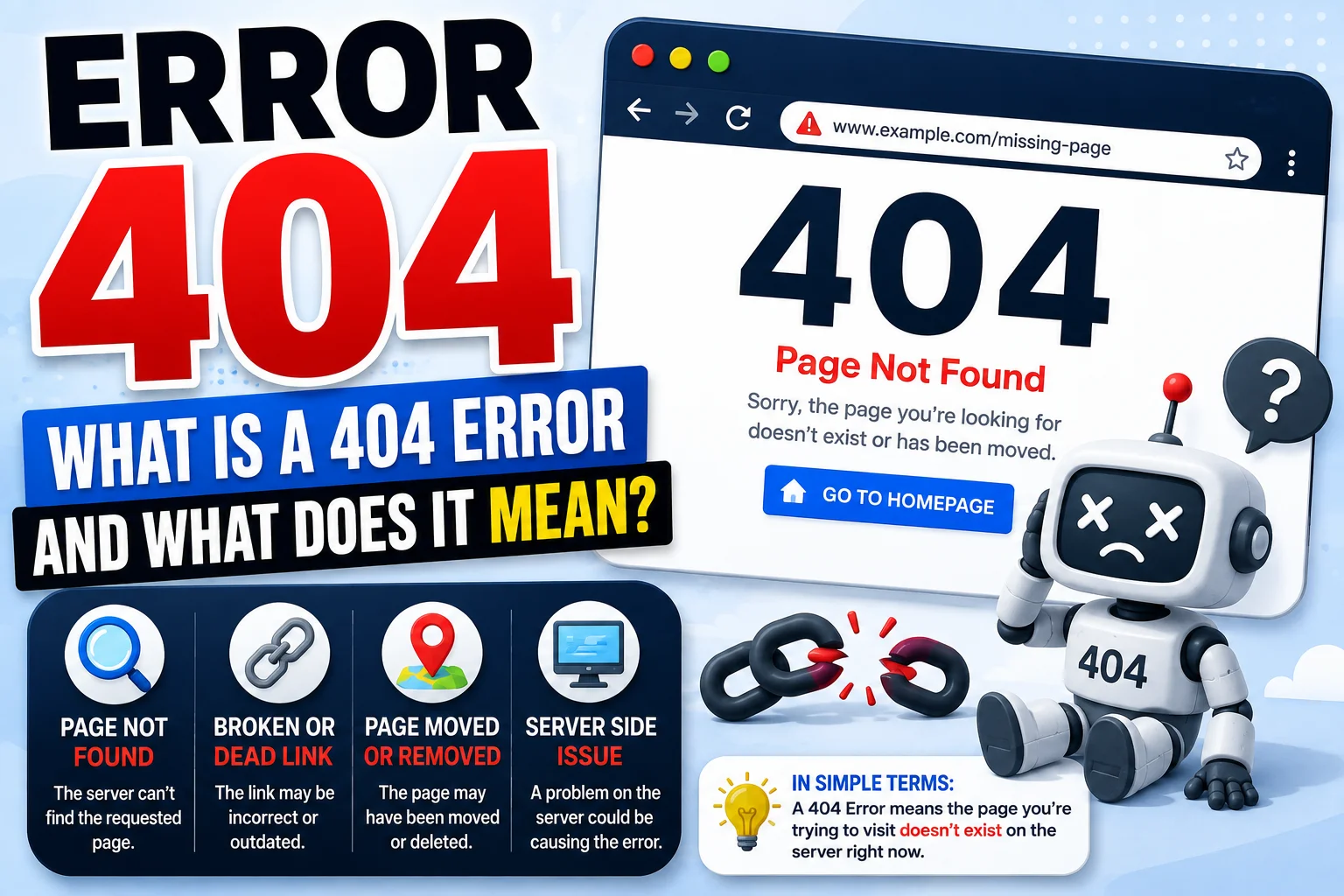
A 404 error is a common website error that appears when a requested web page cannot be found on a server. If you’ve ever seen “404 Not Found” while browsing the internet, you’ve encountered this error.
In this guide, you’ll learn what is a 404 error, what error 404 means, why it happens, and how website owners and visitors can fix it.
Read also; What Does YN Mean? Slang, Text & TikTok Meaning
What Is a 404 Error?
A 404 error is an HTTP status code that means the server could not find the requested webpage or resource.
When you click a link or enter a URL, your browser sends a request to a web server. If the server cannot find the requested page at that address, it can return a 404 Not Found response.
Simply put:
404 = The requested page could not be found.
A 404 error does not necessarily mean the entire website is down. Usually, it means that a specific page or resource is unavailable at the requested URL.
What Does Error 404 Mean?
If you’re wondering what does error 404 mean, it generally means that the webpage you’re trying to access doesn’t exist at that particular URL.
For example, imagine a website has this page:
example.com/blog
If you visit:
example.com/blog-old
and that page doesn’t exist, the server may return a 404 error.
The website itself can still be working normally. Only the requested resource is missing or unavailable.
What Is Error 404 on a Website?
A 404 error occurs when a website receives a request for a URL but cannot find the corresponding resource.
You might see messages such as:
- 404 Not Found
- Error 404
- Page Not Found
- HTTP 404
- This page could not be found
- The requested URL was not found
Different websites use different designs and messages, but they generally indicate the same basic problem.
Why Does a 404 Error Happen?
There are several common reasons for a 404 error.
1. The Page Was Deleted
A website owner may remove a page without creating a replacement.
If someone later visits the old URL, the server may return a 404 response.
2. The URL Was Changed
A website may change its URL structure. For example:
example.com/old-page
could become:
example.com/new-page
If the old URL isn’t properly redirected, visitors may see a 404 error.
3. The URL Was Typed Incorrectly
A simple spelling mistake can produce a 404.
For example:
example.com/contactt
instead of:
example.com/contact
4. A Broken Link
A website may contain a link pointing to a page that no longer exists.
These are commonly called broken links and can lead visitors to a 404 page.
5. The Page Was Moved
If a webpage is moved to a different URL without setting up a redirect, visitors using the old address may receive a 404 error.
How to Fix a 404 Error as a Website Visitor
If you encounter an error 404, there are several things you can try.
Refresh the Page
Sometimes a temporary problem can occur. Refresh the page and see if it loads correctly.
Check the URL
Look at the address bar for spelling mistakes, extra characters, or missing parts of the URL.
Go to the Homepage
Delete everything after the domain name and visit the website’s homepage.
From there, use the site’s navigation or search function to find the page.
Use the Website Search
If the website has a search box, enter the name of the article, product, or information you’re looking for.
Go Back
Use your browser’s back button and try accessing the page from the previous page.
Search for the Page
Search for the page title or topic using a search engine. The page may have moved to a different URL.
How to Fix 404 Errors on Your Website
If you’re a website owner, repeated 404 errors can create a poor user experience and may indicate broken links or outdated URLs.
Here are some ways to handle them.
Check for Broken Links
Regularly check your website for links that lead to missing pages.
Fix links that point to incorrect or outdated URLs.
Create Redirects
If a page has permanently moved, use a 301 redirect to send visitors from the old URL to the new one.
This can help visitors reach the correct page instead of seeing a 404.
Restore Deleted Pages
If a deleted page is still useful and visitors continue looking for it, consider restoring the page.
Create a Helpful 404 Page
A custom 404 page can help visitors find what they’re looking for.
A useful 404 page might include:
- A clear “Page Not Found” message
- A link to the homepage
- A search box
- Links to popular articles
- Suggested categories
- Contact information
Is a 404 Error Bad for SEO?
A few 404 errors are normal on most websites and don’t automatically mean that a website will be penalized.
However, a large number of unnecessary 404 errors can create a poor user experience. They may also make it harder for visitors and search engines to navigate your website.
Website owners should therefore monitor important URLs and fix broken internal links.
A 404 response can also be appropriate when a page has genuinely been removed and has no suitable replacement.
404 vs. 301 Redirect
A 404 and a 301 redirect serve different purposes.
| Status | Meaning | Typical Use |
| 404 | Page not found | Requested page doesn’t exist |
| 301 | Page permanently moved | Redirect an old URL to a new URL |
If a page has permanently moved to another relevant URL, a 301 redirect may be more appropriate than leaving the old URL as a 404.
If there is no suitable replacement, a 404 can be the correct response.
What Does 404 Mean in Simple Terms?
In simple terms, 404 means the webpage you’re looking for cannot be found at the URL you requested.
It doesn’t necessarily mean:
- Your internet is disconnected
- The entire website is down
- Your computer is broken
- The website has been permanently deleted
Usually, it simply means that the requested page isn’t available at that address.
Final Thoughts
An Error 404 is one of the most common errors you’ll encounter online. When you see 404 Not Found, it generally means that the server couldn’t find the webpage or resource requested at that URL.
For visitors, checking the URL, returning to the homepage, or searching for the page can often solve the problem. For website owners, fixing broken links, using appropriate redirects, and maintaining a helpful 404 page can create a better user experience.
In short: 404 means the requested page could not be found.
Frequently Asked Questions
What is a 404 error?
A 404 error is an HTTP response indicating that a server could not find the requested webpage or resource.
What is error 404?
Error 404 means the requested page or resource could not be found at the specified URL.
What does error 404 mean?
It means the server couldn’t find the resource requested by your browser.
Why am I getting a 404 error?
You may have entered an incorrect URL, followed a broken link, or tried to access a page that was moved or deleted.
How do I fix a 404 error?
Check the URL for errors, refresh the page, return to the homepage, search the website, or look for an updated version of the page.
Is a 404 error permanent?
Not necessarily. A page may temporarily be unavailable, or the URL may have changed. However, a 404 generally indicates that the requested resource isn’t currently available at that URL.
Does a 404 error mean a website is down?
No. A 404 usually affects a specific URL rather than the entire website. Other pages on the same website may work normally.