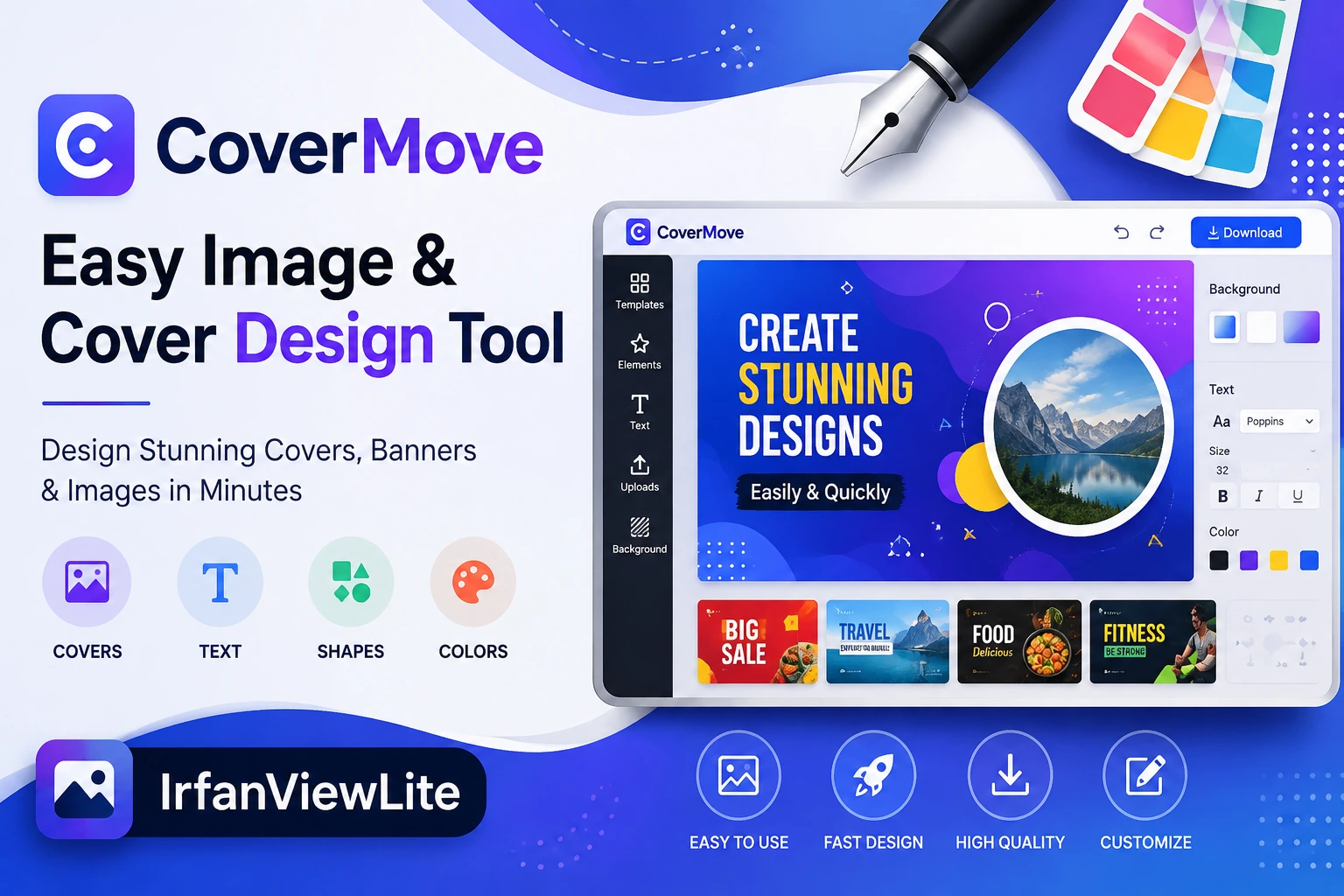
Creating attractive images and cover designs has become an important part of online content. Whether you are preparing graphics for a blog, social media post, digital project, presentation, or marketing campaign, a good cover can make your content look more professional. Many people, however, find professional design software difficult to use because of complicated tools and a steep learning curve. CoverMove is designed as an easy image and cover design tool that can help users create visual content without unnecessary complexity.
What Is CoverMove?
CoverMove is an image and cover design tool focused on making the design process simple and accessible. Instead of requiring advanced graphic design knowledge, it provides a straightforward approach for users who want to create attractive visuals quickly.
A simple design tool can be especially useful for bloggers, website owners, social media managers, students, small businesses, and content creators. These users often need images regularly but may not have the time to learn complex professional design applications.
With CoverMove, users can focus on the appearance and message of their design rather than spending too much time understanding complicated editing functions.
Why Cover Design Matters
A cover image is often the first visual element people notice. On a website, social media platform, or digital publication, an appealing cover can encourage visitors to pay attention to the content.
For example, a blog article with a well-designed cover can look more organized and professional. Similarly, an attractive social media graphic can help a post stand out among many other posts.
Good cover design usually includes a clear message, suitable images, readable text, and balanced visual elements. CoverMove can be useful for people who want to bring these elements together in an easier way.
Simple Design Experience
One of the biggest advantages of an easy design tool is that users do not have to spend hours learning complicated features. Beginners can usually understand simple editing tools much faster than professional graphic design software.
A straightforward interface can make common tasks easier, such as adding text, arranging images, adjusting layouts, and creating a visually balanced cover.
This type of workflow can be useful when you need to create several graphics in a short period. Instead of starting with a complicated application, you can work with a simpler tool and concentrate on the actual design.
Creating Covers for Blogs
Bloggers often need featured images and cover graphics for their articles. A good featured image can improve the overall appearance of a website and make individual posts more visually appealing.
CoverMove can be considered for creating blog covers that include article titles, relevant images, and simple visual elements. A consistent design style can also help a blog develop a recognizable appearance.
For example, a website can use similar typography, spacing, and layout styles across different articles. This creates a more professional visual identity and makes the website feel organized.
Useful for Social Media Graphics
Social media platforms depend heavily on visual content. Posts with attractive images can catch attention more effectively than plain text in many situations.
CoverMove can be useful for creating graphics for social media campaigns, announcements, promotional posts, quotes, and other visual content.
Users can create designs based on their preferred style and adapt them for different types of content. Simple editing options can make it easier to prepare graphics without requiring extensive graphic design experience.
Also Read: IrfanViewLite | Simple Image Viewer & Editor
Helping Small Businesses
Small businesses often need promotional graphics but may not have a dedicated graphic designer. Hiring a professional designer for every small image can also become expensive.
An easy design tool can provide a practical alternative for everyday graphics. Business owners can create promotional covers, announcements, product-related visuals, and social media images themselves.
This can save time and allow businesses to make quick changes whenever their marketing needs change.
Benefits for Beginners
Professional design applications can sometimes feel overwhelming to beginners. There may be dozens of tools, menus, settings, and advanced options that are unnecessary for basic projects.
CoverMove focuses on an easier design experience, which can make it suitable for people who are new to image editing.
Beginners can start with basic design principles such as choosing a clear image, selecting readable text, maintaining proper spacing, and avoiding too many elements in one design.
As users gain experience, they can gradually develop their own design style.
Creating Better Visual Content
A good design does not always require complicated effects. In many cases, a clean and simple layout can be more effective than a design filled with unnecessary elements.
When creating a cover, users should consider the purpose of the image first. The main message should be easy to understand, and important text should remain readable.
Images should also match the topic. For example, a technology article may benefit from modern digital imagery, while a travel article may work better with a location-based photograph.
CoverMove can support this type of straightforward design process by giving users an accessible environment for creating visual content.
Saving Time on Everyday Projects
Time is important for content creators and website owners. Creating a single graphic should not require hours of complicated editing when the project only needs a simple design.
An easy image and cover design tool can help reduce the time required for everyday graphics. Users can focus on selecting the right content and creating an attractive layout instead of dealing with unnecessary complexity.
This is particularly useful for people who publish frequently and need fresh images for multiple articles or social media posts.
Consistent Branding
Brand consistency is another important part of digital content. Websites and businesses often use specific colors, fonts, layouts, and visual styles to create a recognizable identity.
When creating multiple covers, maintaining a consistent design approach can make a brand look more professional. Users can follow similar layouts and visual patterns across their graphics.
For example, a blog could use the same position for its title, similar typography, and a consistent image style on every featured cover. Over time, this can make the website’s content easier to recognize.
Who Can Use CoverMove?
CoverMove can be useful for a wide range of users. Bloggers can use it for featured images, while social media creators can use it for posts and promotional graphics.
Small businesses can create simple marketing visuals, students can prepare presentation-related graphics, and website owners can design images for their pages.
It can also be useful for people who simply want to experiment with digital design without learning advanced professional software.
Tips for Creating an Attractive Cover
When creating a cover, simplicity is usually a good starting point. Avoid adding too many images, colors, or text elements. The main idea should remain clear.
Choose an image that is relevant to the subject and make sure the text is readable. Good contrast between the background and text can improve readability.
It is also important to maintain proper spacing. Elements that are too close together can make a design look crowded, while too much empty space can make it feel incomplete.
Finally, consider where the cover will be used. A blog image, social media graphic, and presentation cover may require different dimensions and layouts.
Final Thoughts
Creating professional-looking visual content does not always have to be complicated. An easy image and cover design tool can make the process more accessible for beginners, bloggers, businesses, and content creators.
CoverMove offers a simple concept for users who want to create attractive covers and images without depending entirely on advanced design software. From blog featured images and social media graphics to business promotions and personal projects, a straightforward design workflow can save time and make everyday content creation easier.
For anyone looking for a simple way to approach image and cover design, CoverMove can be a useful option to explore. The most important thing is to keep designs clear, relevant, and visually balanced while focusing on the message you want your audience to see.