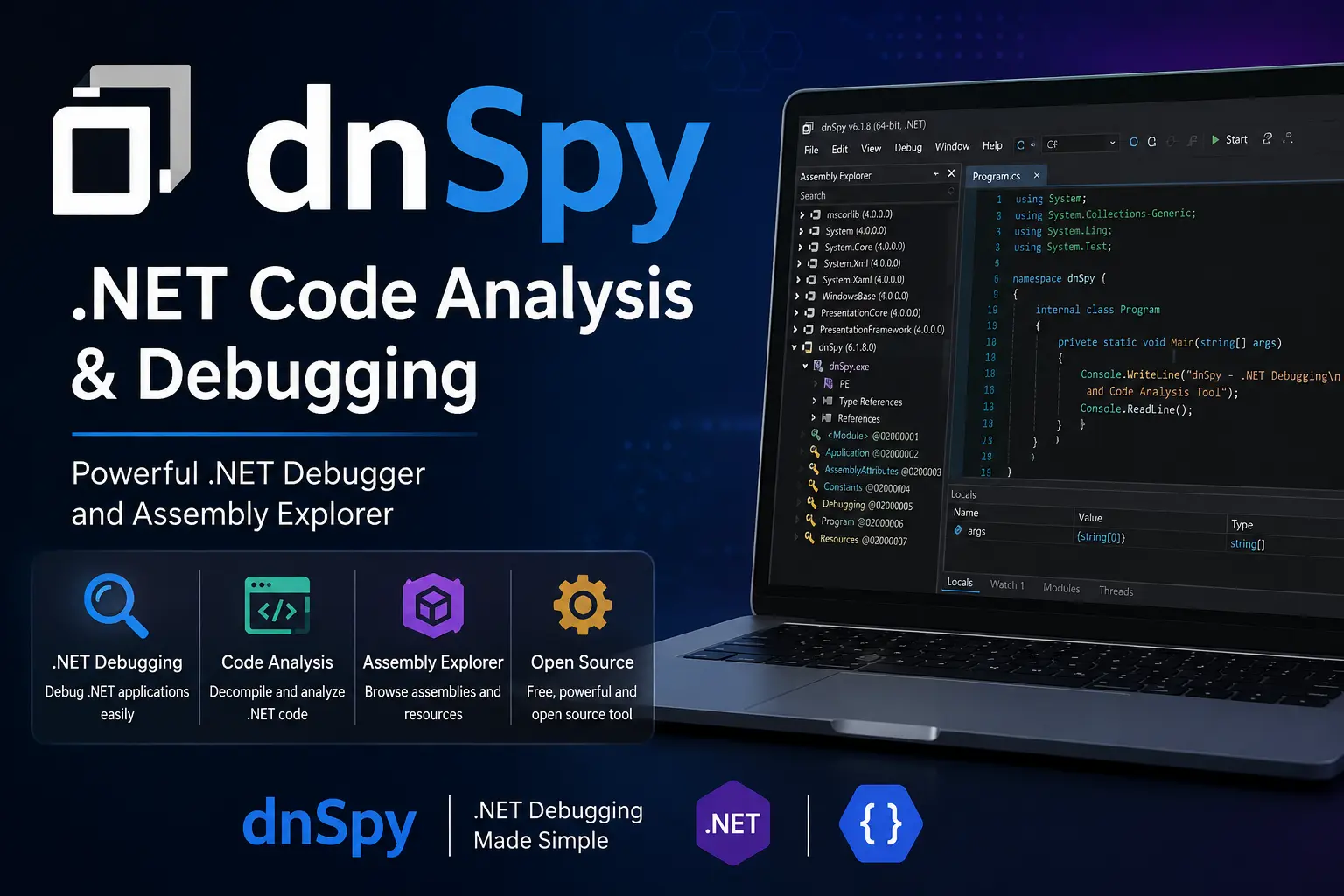
dnSpy is a popular tool for analyzing and debugging .NET applications. Developers, security researchers, and software analysts use it to inspect .NET assemblies and understand how applications work. The tool can also help users debug programs and examine compiled code.
One of the main advantages of dnSpy is its ability to turn compiled .NET assemblies into readable source code. This makes it useful when the original source code is not available. However, users should only analyze software when they have permission to do so.
What Is dnSpy?
dnSpy is a .NET assembly editor, debugger, and code analysis tool. It was designed to help users inspect applications built with .NET technologies.
The tool can open files such as EXE and DLL assemblies. After opening an assembly, dnSpy displays its structure and code in an easy-to-understand interface.
Unlike basic file viewers, dnSpy provides several features in one application. For example, users can inspect classes, methods, properties, and other parts of a .NET application.
This makes dnSpy useful for both development and technical analysis.
How Does dnSpy Work?
.NET applications are commonly compiled into intermediate language rather than directly into native machine code. Tools such as dnSpy can analyze these compiled assemblies.
When you open a supported assembly, dnSpy examines its metadata and code. It can then display the available namespaces, classes, methods, and other components.
The decompiler attempts to convert the compiled code into a readable programming language format. As a result, developers can better understand how the application was structured.
However, decompiled code may not always look exactly like the original source code. Compiler optimizations and missing information can affect the result.
Key Features of dnSpy
dnSpy provides several features for .NET code analysis and debugging.
.NET Code Decompilation
One of its most useful features is code decompilation. dnSpy can display readable code from many compiled .NET assemblies.
This can help developers understand existing applications. It can also assist with troubleshooting when original source files are unavailable.
Debugging Support
dnSpy includes debugging capabilities for supported .NET applications. Developers can use breakpoints and step through program execution.
For example, you can examine how a method behaves while an application is running. This can make it easier to identify errors and understand program logic.
Assembly Inspection
The tool allows users to explore the internal structure of .NET assemblies. You can inspect classes, methods, properties, fields, and references.
Therefore, it can be useful when investigating how different components of an application interact.
Editing Assemblies
dnSpy also became known for its assembly editing capabilities. Users can modify certain parts of supported assemblies and save changes.
This feature can be useful during authorized testing and development work. However, modifying third-party software without permission may violate licenses or other laws.
Search and Navigation
Large applications can contain thousands of classes and methods. Finding a specific piece of code manually can take considerable time.
dnSpy provides search and navigation features that make it easier to locate relevant code. As a result, users can move through large assemblies more efficiently.
Why Do Developers Use dnSpy?
Developers can use dnSpy when they need to understand compiled .NET applications. This can happen for several legitimate reasons.
For example, a development team may need to investigate an old application where the original source code is unavailable. A developer may also need to understand how a third-party library behaves during troubleshooting.
Similarly, security professionals can use code analysis tools during authorized security assessments.
The main benefit is visibility. Instead of treating a compiled assembly as a black box, users can inspect its internal structure and behavior.
dnSpy for Debugging
Debugging is another important use case. When an application behaves unexpectedly, examining the program during execution can provide valuable information.
A developer can set breakpoints at relevant methods. The application can then pause at those points during execution.
At that stage, developers can inspect variables and follow the program’s execution flow. This approach can help identify where unexpected behavior occurs.
However, debugging compiled applications may be more difficult than debugging original source projects. Decompiled code does not always perfectly represent the original code.
Is dnSpy Easy to Use?
dnSpy has a graphical interface that makes many analysis tasks straightforward. Users can browse assemblies from the main interface and explore their contents.
However, beginners may need some knowledge of .NET programming. Understanding concepts such as assemblies, namespaces, classes, and methods can make the tool much easier to use.
Therefore, learning basic C# and .NET concepts is a good starting point for new users.
Important Legal and Security Considerations
dnSpy is a powerful analysis tool. Therefore, responsible use is important.
You should analyze or modify software only when you have the necessary rights or permission. For example, using dnSpy on your own applications, open-source projects, or authorized test environments is generally appropriate.
On the other hand, unauthorized modification or analysis of proprietary software may violate software licenses or local laws.
Security researchers should also perform testing within an approved scope.
Alternatives to dnSpy
Depending on your needs, other .NET analysis and debugging tools may also be useful. Visual Studio provides extensive debugging features for developers working with their own projects.
Other .NET decompilers can also help inspect compiled assemblies.
The best option depends on your specific requirements. If you need integrated development and debugging, an IDE may be more suitable. If you need focused assembly analysis, a dedicated decompiler may be more convenient.
Also Read: SettingHelp | Settings Tips & How-To Guides
Final Thoughts
dnSpy is a useful tool for .NET code analysis and debugging. It allows users to inspect assemblies, explore program structures, decompile code, and debug supported applications.
Its features can help developers troubleshoot applications and understand compiled .NET software. At the same time, responsible use is essential.
When used in an authorized environment, dnSpy can be a valuable addition to a developer’s technical toolkit. For beginners, learning basic .NET and C# concepts first can make the tool much easier to understand.
Frequently Asked Questions
1. What is dnSpy used for?
dnSpy is used for analyzing, decompiling, debugging, and inspecting .NET assemblies.
2. Can dnSpy decompile .NET applications?
Yes. It can decompile many .NET assemblies and display their code in a more readable format.
3. Is dnSpy useful for debugging?
Yes. It provides debugging features that can help users examine program execution and investigate application behavior.
4. Can dnSpy edit .NET assemblies?
Yes. It includes assembly editing capabilities for supported files, which can be useful for authorized testing and development.
5. Do I need programming knowledge to use dnSpy?
Basic knowledge of C# and .NET makes dnSpy significantly easier to understand and use.