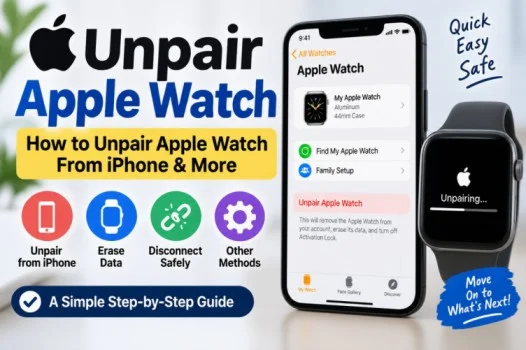
If you are selling your Apple Watch, giving it to someone else, or switching to a new iPhone, you may need to unpair it first.
The good news is that the process is simple. In most cases, you can unpair your Apple Watch directly from the Watch app on your iPhone.
You can also erase the watch when your iPhone is not available.
Read also; Smore Newsletter: Login, Templates, Features & How It Works
What Happens When You Unpair Apple Watch?
When you unpair Apple Watch from your iPhone, the devices stop being connected.
Your iPhone also creates a backup of your Apple Watch before the unpairing process finishes. This can help you restore your data when you connect the watch to another iPhone.
If Activation Lock is enabled, unpairing through the iPhone also removes it from the watch.
Therefore, use the iPhone method when possible.
How to Unpair Apple Watch From iPhone
The easiest way to unpair Apple Watch is through the Watch app.
Follow these steps:
- Keep your Apple Watch and iPhone close together.
- Open the Watch app on your iPhone.
- Tap the My Watch tab.
- Tap All Watches at the top.
- Tap the info button next to your watch.
- Tap Unpair Apple Watch.
- Follow the instructions on the screen.
- Enter your Apple Account password if requested.
- Confirm the unpairing process.
The watch will then erase its content and return to its setup state.
How to Unpair Apple Watch From an Old Phone
If your Apple Watch is still connected to an old iPhone, you can usually use that iPhone to unpair it.
Open the Watch app on the old iPhone. Then, select your Apple Watch and choose the option to unpair it.
This is the preferred method because it can create a current backup and remove Activation Lock.
If you no longer have the old iPhone, you can still remove the watch from your account.
How to Unpair Apple Watch Without iPhone
You cannot perform the normal iPhone-based unpairing process without an iPhone. However, you can erase the Apple Watch directly.
On your Apple Watch:
- Open Settings.
- Tap General.
- Tap Transfer or Reset.
- Tap Erase All Content and Settings.
- Enter your passcode if requested.
- Confirm the reset.
Keep in mind that erasing the watch this way does not necessarily remove Activation Lock.
If you plan to sell or give away the watch, you should also remove it from your Apple Account.
How to Remove Activation Lock
Activation Lock is connected to Find My.
If you erased the watch without using the paired iPhone, it may still be linked to your Apple Account.
To remove it, sign in to your Apple Account and remove the Apple Watch from your account or Find My device list.
This step is important if another person will use the watch.
Otherwise, the new owner may be unable to activate it with their own account.
How to Unpair Apple Watch From the Watch
If you want to unpair Apple Watch from the watch itself, you can erase its content and settings.
Go to:
Settings > General > Transfer or Reset > Erase All Content and Settings
Then follow the instructions.
This process removes personal data from the watch. However, remember to check Activation Lock before giving the watch to someone else.
What If You Forgot Your Apple Watch Passcode?
If you cannot remember your Apple Watch passcode, you can still erase the device.
Place the watch on its charger. Then, press and hold the side button until the power screen appears.
Next, press and hold the Digital Crown until you see the option to erase the watch.
Follow the instructions to complete the reset.
Afterward, you may need your Apple Account information to remove Activation Lock.
Should You Unpair Before Selling an Apple Watch?
Yes. You should unpair and erase your Apple Watch before selling or giving it away.
Using the paired iPhone is usually the best option.
It can create a backup and remove Activation Lock at the same time.
Also, make sure your personal information is no longer stored on the device.
Final Thoughts
Unpairing an Apple Watch is usually quick and simple.
If you have the paired iPhone, use the Watch app. This method can create a backup and remove Activation Lock.
If you do not have the iPhone, you can erase the watch directly. However, remember to remove it from your Apple Account before selling or giving it away.
Taking these steps helps protect your personal information and makes the watch ready for its next user.
Frequently Asked Questions
How do I unpair my Apple Watch?
Open the Watch app on your iPhone, select your watch, and choose Unpair Apple Watch. Then follow the instructions.
How do I unpair Apple Watch from iPhone?
Open Watch > My Watch > All Watches. Tap the info button next to your watch and select Unpair Apple Watch.
Can I unpair Apple Watch without iPhone?
You can erase the watch without an iPhone. However, you may need to remove Activation Lock separately.
How do I unpair Apple Watch from an old phone?
If you still have the old iPhone, open the Watch app and use the Unpair Apple Watch option.
How do I unpair an Apple Watch from the watch?
On the watch, go to Settings > General > Transfer or Reset > Erase All Content and Settings.